A Local Model Added a Feature to This Blog
A Local Model Added a Feature to This Blog
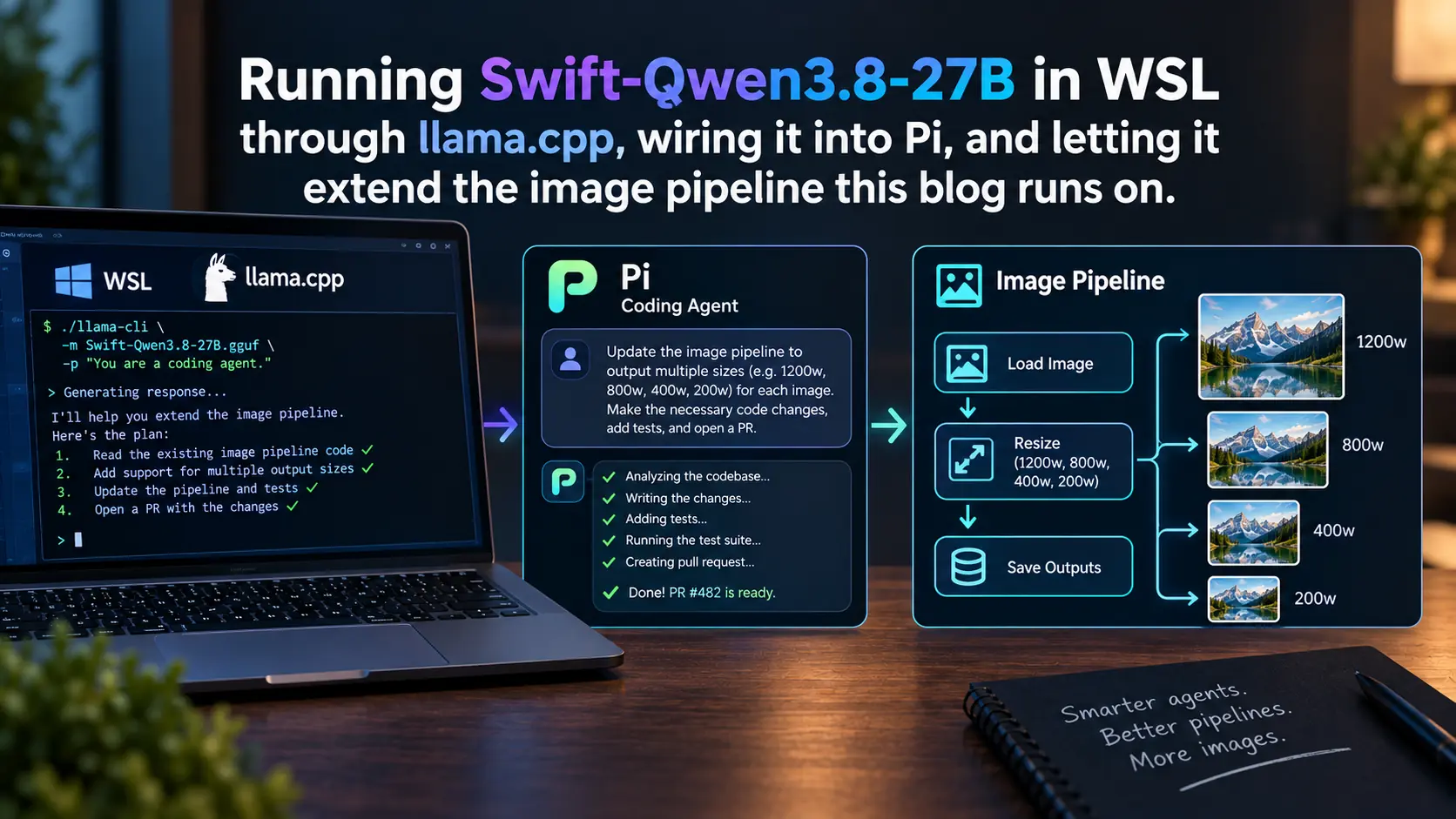
There is a 27-billion-parameter language model living in my desktop computer.
It does not phone home. It does not bill me. Nobody at any company knows what I ask it.
Today, I used it to write a simple enhancement to this blog.
The model
It is called Swift-Qwen3.8-27B. It is a fine-tune of a model Alibaba released in August, and the fine-tune does one thing: it makes the model shut up sooner.
This matters more than it sounds like it should.
The base model thinks out loud before it answers. That is how these things work now. But it thinks for a very long time, and when you are paying a company per token, that costs money, and when you are running it on your own graphics card, it costs something worse. It costs your afternoon.
The people who made Swift went looking for the specific tokens that send the model spiraling. Then they trained it to stop reaching for them. It uses about 58% fewer thinking tokens and scores within 1% of where it started.
A word about the numbers with the letters in them.
The model was trained at 16 bits of precision per weight. All 27 billion of them. That version is 55 gigabytes and will not fit on any graphics card you can buy at a store.
So people squash it. You store each weight in fewer bits and accept that it is now an approximation of the thing you started with. 4 bits per weight gets you to 18 gigabytes. 6 bits gets you to 23. 2 bits gets you to 9, and by then the model has started to get noticeably stupider.
Q4_K_M is the 4-bit tier. The letters describe which parts of the model get squashed harder than others, because some parts tolerate it and some do not. The people who make these files measure how far each tier drifts from the original and publish the numbers, which is more honesty than you get in most corners of this industry.
The whole exercise is a trade. Smaller file, faster answers, slightly worse model. Everyone running one of these at home is picking a point on that line.
I have an RTX 5090, which has 32 GB of memory. I took the four-bit quantization anyway, at 18 GB, because it is what the model card recommends and I wanted the headroom for context. There is a 6-bit tier that drifts less from the original weights on long runs. I may yet move to it.
Installing the thing
I had a whole plan involving compiling llama.cpp from source. Then I found out there is a one-line installer that detects your hardware and downloads a build that matches it.
curl -LsSf https://llama.app/install.sh | zsh
It gives you a single llama command with all the tooling underneath it. llama serve starts a server. llama cli talks to a model in your terminal. This is recent and it is a large improvement over what came before, which was reading a build guide and hoping.
If you do go the source route, the one thing that will bite you is the graphics driver: it goes on the Windows side, never inside WSL, and you install only the CUDA toolkit in Ubuntu from the wsl-ubuntu package repository. The generic Linux one tries to install a display driver and your GPU stops being visible to WSL entirely.
The only other WSL-specific thing worth saying is where the files live. Your Windows drives appear inside WSL under /mnt/c/, and anything you touch there goes through a translation layer. Dragging 18 GB through it is genuinely unpleasant. Keep the models on the Linux side. WSL also caps itself at about half your system RAM by default, which you will want to raise in .wslconfig.
Then you start it. My entire setup is one line in .zshrc:
alias qwen3.8='llama serve -hf ukisai/Swift-Qwen3.8-27B-GGUF:Q4_K_M \
  --alias swift --jinja -fa on -ngl 99 \
  --reasoning-format deepseek -c 65536 \
  --spec-type draft-mtp --spec-draft-n-max 3'
That is it. That is the whole thing. It downloads the model on first run, serves an OpenAI-compatible API on port 8080, and puts a chat interface in my browser. Cold start to serving is around 30 seconds. After that it stays resident until I stop it.
The agent
I used Pi. It takes a JSON file that describes where the model lives and how to talk to it.
{
  "providers": {
    "llama-cpp": {
      "baseUrl": "http://localhost:8080/v1",
      "api": "openai-completions",
      "apiKey": "none",
      "compat": {
        "supportsDeveloperRole": false,
        "supportsReasoningEffort": false,
        "maxTokensField": "max_tokens",
        "thinkingFormat": "chat-template",
        "chatTemplateKwargs": {
          "reasoning_effort": { "$var": "thinking.effort" }
        }
      },
      "models": [
        {
          "id": "swift",
          "reasoning": true,
          "input": ["text", "image"],
          "contextWindow": 65536,
          "maxTokens": 32768,
          "samplingParams": {
            "temperature": 1.0,
            "top_p": 0.95,
            "top_k": 20,
            "min_p": 0
          }
        }
      ]
    }
  }
}
The chatTemplateKwargs block is the good part. The model has a dial marked reasoning_effort with four settings, and it ships turned all the way up. This wires that dial to a command in the agent, so I can turn it down when I want an answer more than I want a dissertation.
A brief tangent on Windows Terminal Settings
As I used pi, I found that Shift+Enter would not put a line break in my prompt. It submitted the prompt instead, which meant every attempt at a multi-line message sent a half-finished one.
Shift+Enter and plain Enter send the exact same byte. Carriage return. Thirteen. They have sent the same byte since teletypes, back when pressing Enter physically returned the carriage, and no program downstream can tell them apart unless the terminal goes out of its way to encode the difference.
Windows Terminal does not go out of its way. You have to look in settings.json (open with Ctrl+Shift+,) and add this:
"actions": [
    {
        "command": { "action": "sendInput", "input": "\u001b[13;2u" },
        "id": "User.sendInput.shiftEnter"
    }
],
...
"keybindings": [
    ...
    {
        "keys": "shift+enter",
        "id": "User.sendInput.shiftEnter"
    }
]
This makes Shift+Enter work for multi-line prompts in pi. It also applies to every other program in that terminal, some of which will print [13;2u into their own input and look broken.
I know Ctrl+J is the better answer. It sends byte ten, it has always been distinct from Enter, it needs no configuration, and it works in every terminal ever made. My muscle memory is set on Shift+Enter.
The feature
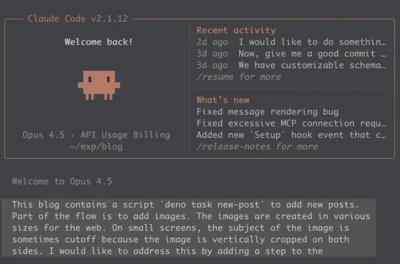
This blog runs on Deno. Photographs go through a script that calls ImageMagick and spits out 4 WebP sizes. It only ever handled the big image at the top of a post. The filename prefix was hardcoded to hero and had been since I wrote it.
I wanted to put photographs in the middle of posts too. So I asked.
The model read the script. Then it read the service underneath the script. Then it read the post-creation tool, which I had forgotten also touches images.
Then it told me something I did not know about my own code: the service already accepted a filename prefix. The script simply never passed one. The feature was mostly already there and had been sitting unused for months.
It added a --name flag, a --caption flag, and a --append flag that writes the markdown straight into the post file. It made the default filename derive from the input image and append a timestamp if that name was already taken, so you cannot accidentally overwrite the hero image. It also fixed two type errors in a file I had not asked it to touch, and told me it had, and proved with git stash that they were already broken before it arrived.
Then it wrote a bug.
It called an async function without awaiting it, immediately before exiting the process. The write never flushed. The script printed a cheerful success message anyway.
What happened next is the part I keep thinking about. It ran the test. It checked the post file with diff and got no output. It did not believe the no output. It checked again with wc -c, then md5sum, and confirmed the file was byte-for-byte identical to the backup. Then it worked backward from the contradiction. The success message had printed, which meant the write never threw an error, which meant the write never finished at all. The process had exited first.
It found its own race condition from indirect evidence. Then it fixed it, re-ran the test, and noticed in passing that the second run had auto-suffixed the filename with a timestamp, which was the collision-avoidance logic working correctly.
The same prompt, twice, two different opinions
I ran this task twice, an hour or so apart, with the same prompt.
The first time, it kept hero as the default filename prefix, for backward compatibility.
The second time, it deliberately broke that, on the grounds that silently clobbering your hero image is the actual bug I was complaining about. It made you type --name hero to touch the hero.
Both are defensible. I prefer the second one. But nobody told it to reconsider, and these things run at a temperature that leaves room for opinion, so it reconsidered on its own.
What it costs
Everybody quotes somebody else’s tokens per second. Here are mine, from an RTX 5090 running the four-bit quantization under WSL.
Generation ran between 64.7 and 90.9 tokens per second, mostly sitting around 75 to 80.
Prompt processing ran at 1,895 tokens per second on the opening 10,947-token request. That is the number that actually matters for agent work, because every time the model runs a command, the entire conversation gets sent again. If that were slow, nothing else would save it.
For scale: 15 to 30 tokens per second is what people have measured running this class of model in LM Studio. Artificial Analysis clocks GPT-5.6 Sol at 74 and Luna at 184.
So a hosted frontier model is somewhere between as fast as my desktop and a bit over twice as fast. That is not the gap I expected.
Where the speed comes from
The model ships with extra prediction layers that act as their own draft model. You turn them on with --spec-type draft-mtp, and they do something that sounds like cheating.
A language model writes one word at a time. To produce each word it has to read all 27 billion of its weights off the graphics card. That reading is the slow part. Not the arithmetic. The reading.
Because it is the same single pass through the weights, checking several words at once costs almost the same as producing one. So if something cheap could guess the next few words, the real model could verify all of them in one read. When the guesses are right you got four words for the price of one. When they are wrong you throw them away and lose almost nothing.
Usually the cheap guesser is a second, smaller model you have to go find and load. This one ships with its own, built into the file.
llama.cpp reports how often the guesses land. Across my session it ranged from 47% to 84%, and the generation speed tracked it almost perfectly. The requests with 84% acceptance ran at 90.9 tokens per second. The requests with 47% acceptance ran at 64.7.
That is a 40% spread on the same model, on the same card, in the same session, determined entirely by how predictable the output was.
The pattern is not subtle. The fast requests were file edits and short structured answers. The slow ones were the long stretches where it was working out what to do. Which means the local speed penalty is worst exactly where you feel it most. The model is fastest when it is typing out something it has already decided, and slowest when it is deciding.
Where this actually stands
People on the internet will tell you a 27B model now beats Claude Opus. People on the internet are excited, and some of the numbers they are excited about are invented. One widely shared claim about DeepSWE scores was traced back to a cell in the model card that is literally a dash. Somebody made up the other number.
Here is the sober version.
Artificial Analysis, who run their own evaluations and do not work for Alibaba, scored this model at 52 on their intelligence index. That puts it level with GLM 5.2, GPT-5.6 Luna, and DeepSeek V4 Flash. DeepSeek V4 Flash is a 284-billion-parameter mixture of experts. This one is 27 billion dense parameters and it is sitting in my closet making fan noise.
It is not at the frontier. Opus 5, Fable 5.1, and GPT-6 Astra are all comfortably ahead, and on the hardest reasoning benchmarks the gap is not close. Alibaba’s own card has it losing to a year-old Opus on Humanity’s Last Exam, 30.8 to 40.0. Anyone saying otherwise is selling you something.
But the gap that matters is not the benchmark gap. It is whether the thing can do the work.
It read a codebase it had never seen. It found a capability I had written and forgotten. It wrote a bug, caught itself, and debugged it with more rigor than the bug deserved. It ran the type checker, the formatter, and the linter without being asked, and proved that the errors it found were not its fault.
Then it told me what it had changed and asked if I wanted anything else.
There is one more thing in those numbers worth sitting with. Artificial Analysis found this model burning roughly twice the tokens per task as the model it replaced, and 2.3 times as many as GPT-5.6 Luna Max. The intelligence was bought with length. It got smarter by thinking longer, and thinking longer is exactly what you cannot afford on one graphics card.
Which is why I am running a fine-tune whose entire purpose is to make it stop.
That is the interesting thing about this moment. The frontier labs are ahead and will stay ahead for a while. But the useful work is happening one layer down, in quantization tiers and speculative decoding and fine-tunes that trim the fat, and all of it lands on hardware you can buy at a store.
Two years ago a model this capable needed a data center.
Now you only need a consumer graphics card and an afternoon.